Claude and ChatGPT connector
Connect EasyBracket to Claude and ChatGPT
Ask about your tournaments in plain words and get the answer as a formatted panel. Schedule matches and record results without opening the app.
What it does
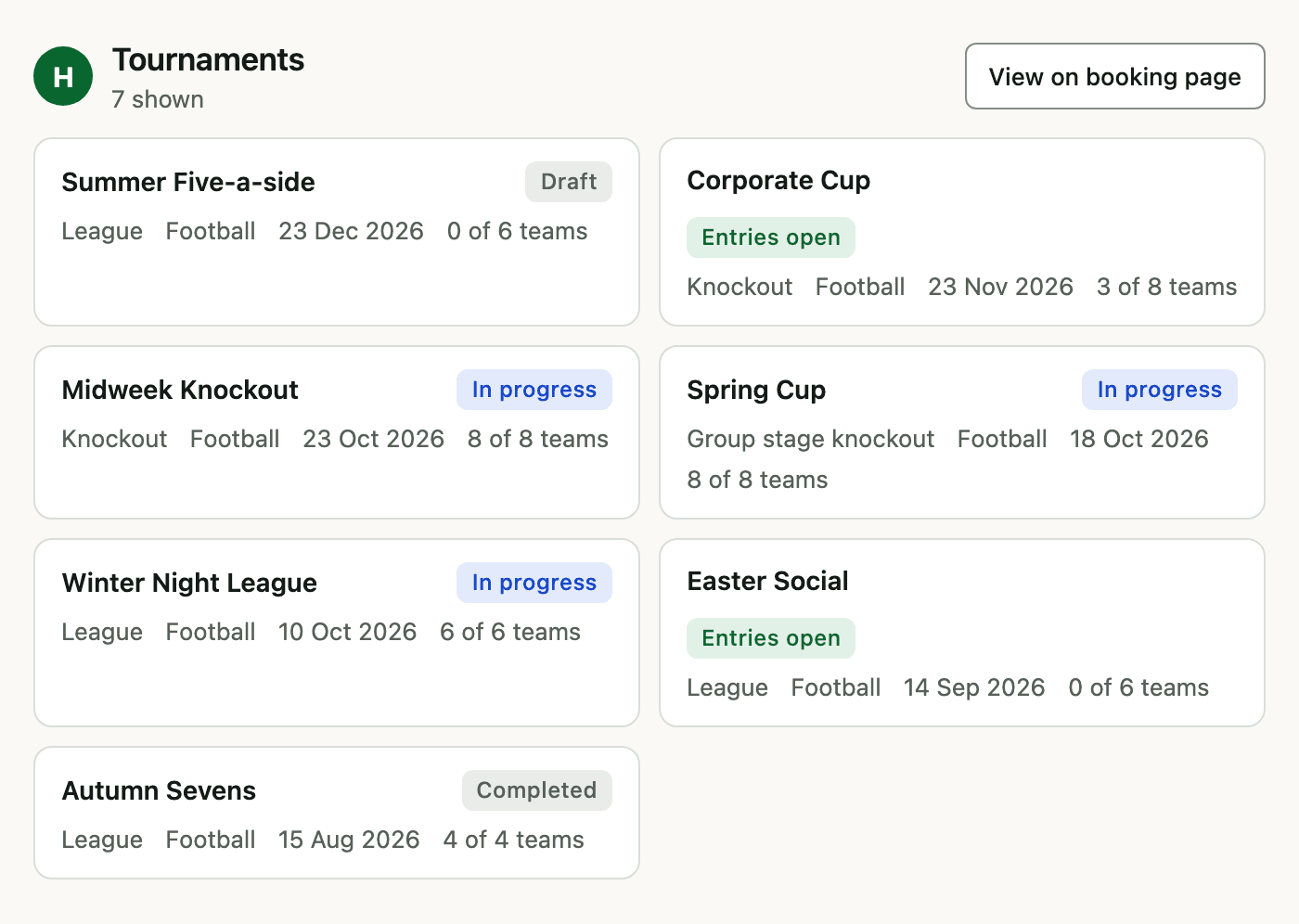
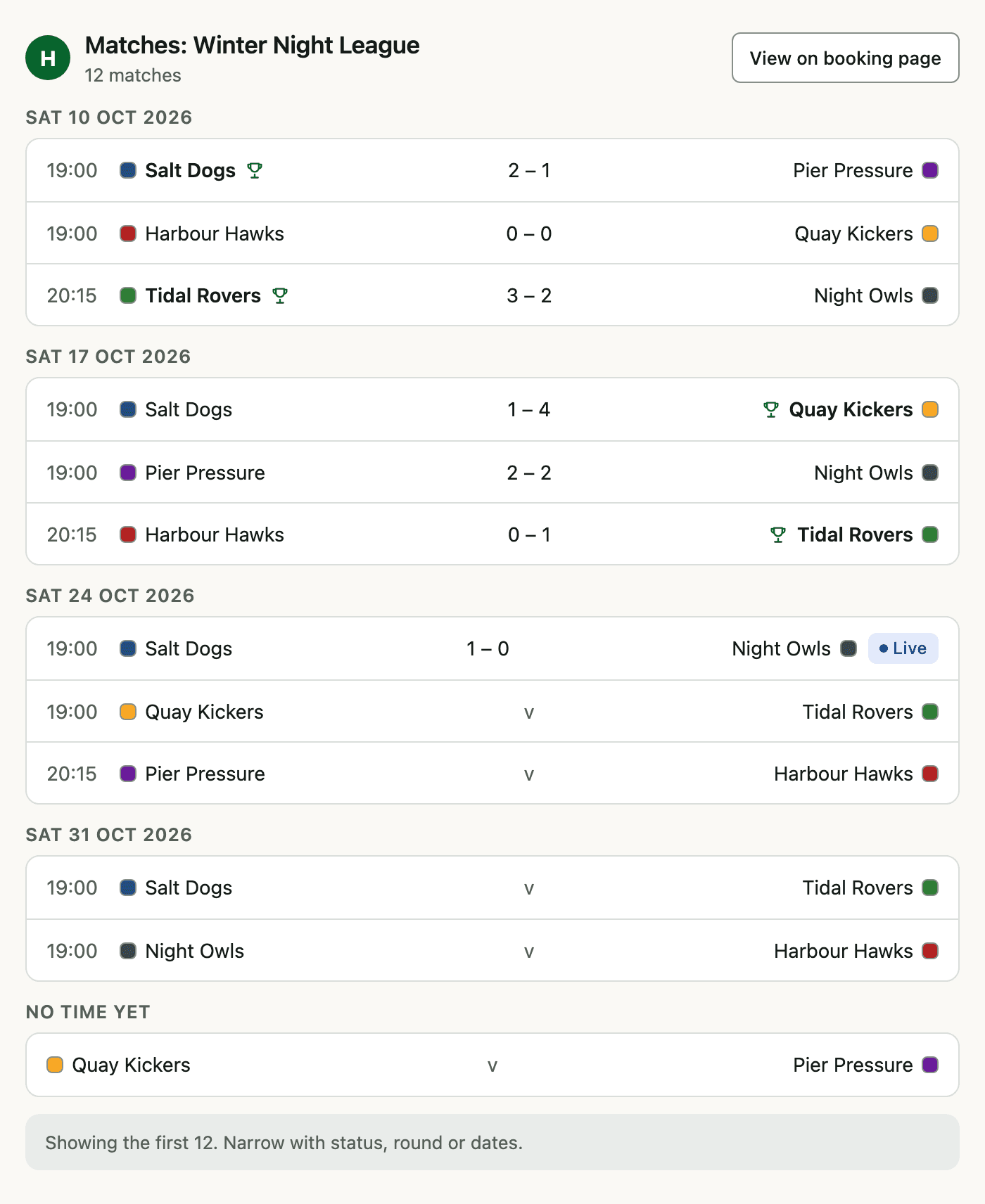
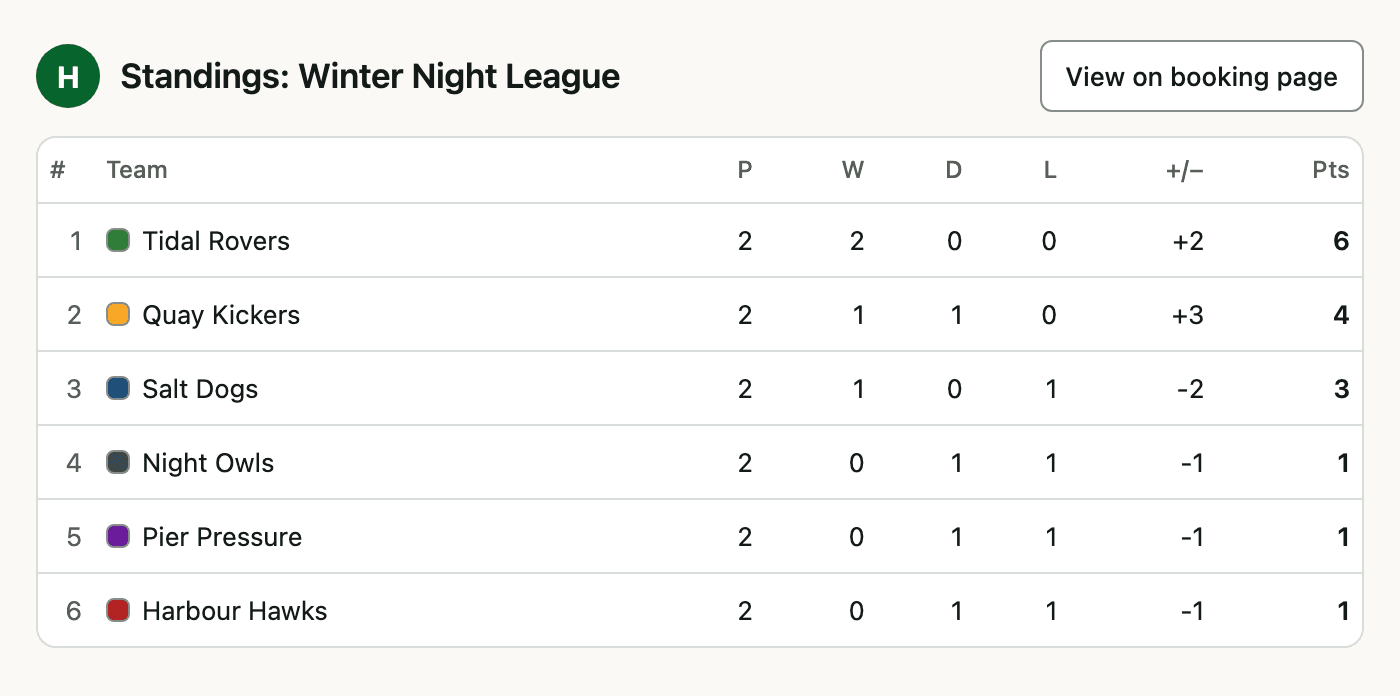
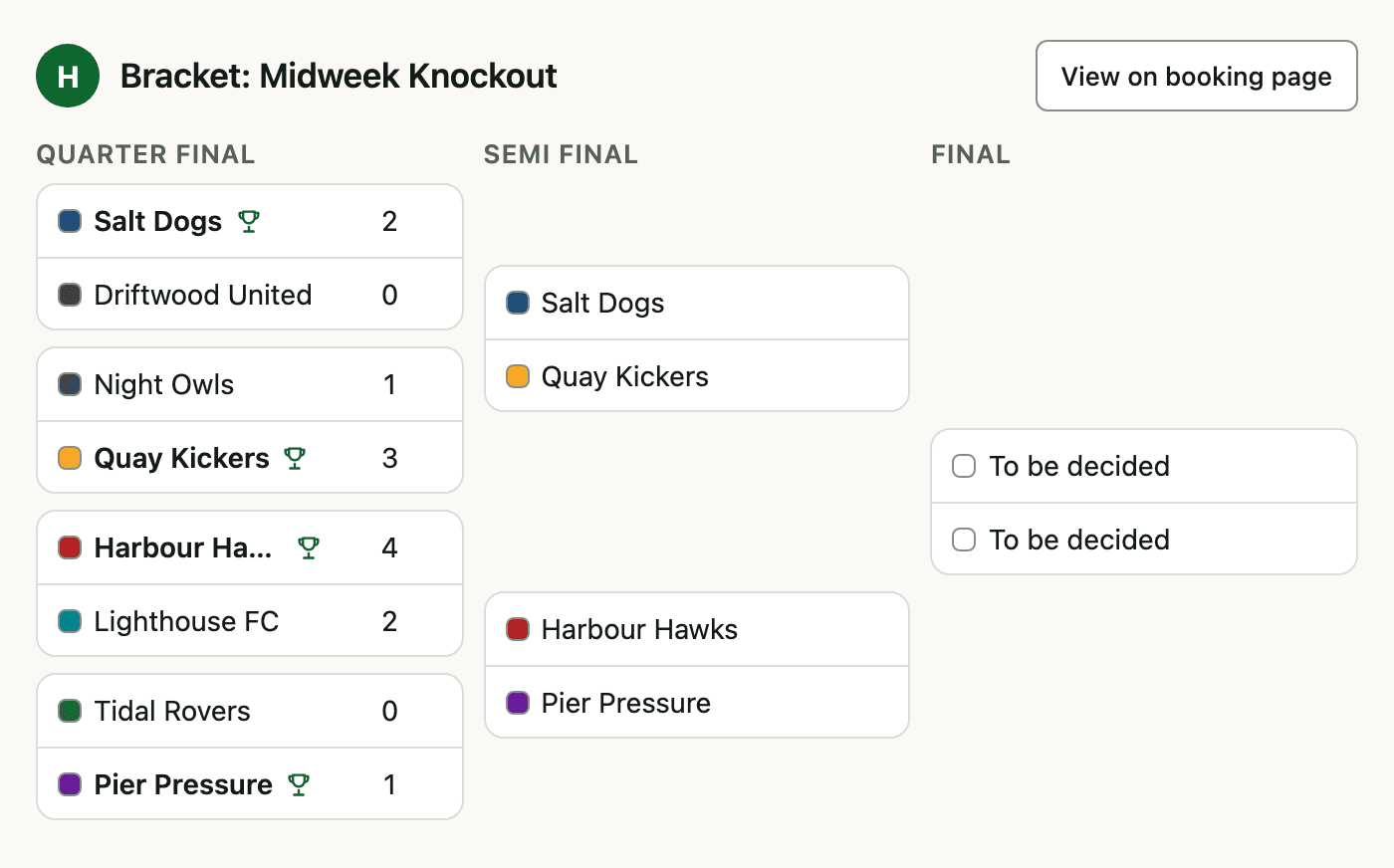
The EasyBracket connector lets organisers run tournaments by asking Claude or ChatGPT. See your tournaments, matches, standings and brackets, schedule matches and record results. Answers appear as formatted panels in the chat, with a link to your booking page.
Who can use it
- Organisation admins: organisers and club admins.
- Players can connect, but see no tools and no data.
- The connector is free on every plan. You need an EasyBracket account.
Connect in Claude
- In Claude, open Settings, then Connectors, and choose Add custom connector.
- Name it EasyBracket and enter the URL
https://mcp.easybracket.app/mcp. Leave the OAuth client fields empty. - Choose Connect, sign in with your EasyBracket account and choose Allow.
- In a chat, turn EasyBracket on from +, then Connectors, and ask “Which of my tournaments are in progress?”
Add the connector once on claude.ai or in the Claude desktop app. It is then available in the Claude web, desktop and mobile apps.
Connect in ChatGPT
- In ChatGPT, open Plugins from the sidebar and search for EasyBracket, or go straight to EasyBracket in ChatGPT.
- Choose Install plugin on EasyBracket by Micro Apps Limited.
- Sign in to EasyBracket and choose Allow on the consent screen.
- In a chat, choose EasyBracket from the composer's + menu and ask “Show the Winter Night League table”.
Permissions and sign-in
- You sign in with your EasyBracket account (OAuth). Claude and ChatGPT never see your password.
- Every action runs as you, with the permissions you already have in EasyBracket.
- Claude asks before each change to existing data: editing a tournament, scheduling a match or recording a result. Creating a draft tournament and adding a team only add, so they run without asking.
- The connector cannot refund, set fees, delete, publish or send emails. Those stay in EasyBracket.
- To disconnect, remove the connector in Claude or ChatGPT settings. EasyBracket does not list connected apps yet.
Tools
| Tool | What it does | Read or change | Asks first |
|---|---|---|---|
| List organisationslist_organisationsRead | The organisations you run. | Read | No |
| List tournamentslist_tournamentsRead | Your tournaments with status, sport, format and start date. | Read | No |
| Get tournamentget_tournamentRead | One tournament in full: settings, venues, referees, teams and match counts. | Read | No |
| List teamslist_teamsRead | Teams entered in a tournament, or all of an organisation's teams. | Read | No |
| List venueslist_venuesRead | Your venues and their pitches or courts. | Read | No |
| List matcheslist_matchesRead | Matches by kick-off, with pitch, teams, score and status. | Read | No |
| Get standingsget_standingsRead | The league or group tables, with your tie-break rules. | Read | No |
| Get bracketget_bracketRead | The knockout bracket, round by round. | Read | No |
| List entries and paymentslist_entriesRead | Entries and payments for a tournament. No card details. | Read | No |
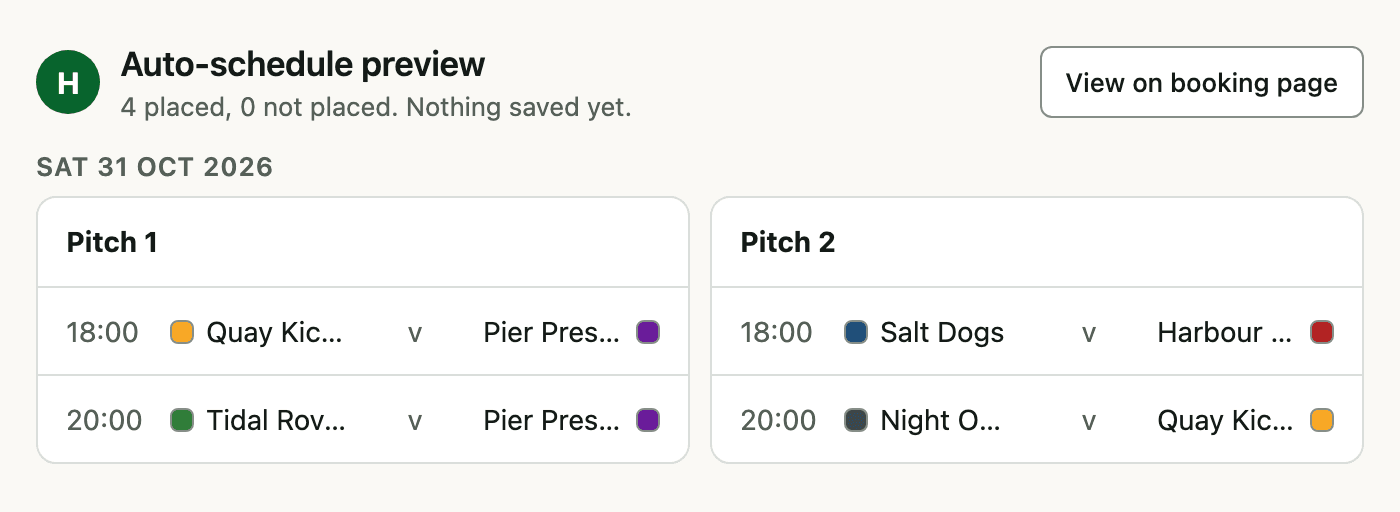
| Preview auto-schedulepreview_auto_scheduleRead | Plans times and pitches for unscheduled matches. Saves nothing. | Read | No |
| Create tournamentcreate_tournamentChange | Creates a free, unpublished draft tournament. | Change | No |
| Add team to tournamentadd_teamChange | Enters an existing or new team into a tournament that has not started. | Change | No |
| Update tournamentupdate_tournamentChange, asks first | Changes a tournament's name, description, match length and, in draft, its details. | Change | Yes |
| Schedule matchschedule_matchChange, asks first | Sets a match's kick-off, pitch and referee, with the same clash checks as the app. | Change | Yes |
| Record resultrecord_resultChange, asks first | Saves a final score, updates standings and moves a knockout winner on. | Change | Yes |
Example prompts
- “Which of my tournaments are in progress?”
- “Show the standings for Winter Night League”
- “Show this Saturday's matches in Winter Night League”
- “Show the Spring Cup bracket”
- “Schedule the Salt Dogs match on Pitch 2 at 7:15pm Saturday”
- “Record Salt Dogs 2–1 Night Owls”
- “Preview auto-scheduling for next Saturday 9 to 5”
- “Create a draft five-a-side league called Summer Social”
Screenshots
Data and privacy
- The connector reads your organisations' tournaments, teams, venues, matches, standings, brackets, entries and payments. Payments show amount, method and refund state, never card details.
- It changes data only through the change tools above: a draft tournament, tournament details, team entries, match times and results.
- Your data stays in EasyBracket under the same rules as the app. EasyBracket receives the tool requests, not your conversation.
Read our terms of service and privacy policy.
Troubleshooting
- “Couldn't check the server” or a connection error
- Check the address is exactly
https://mcp.easybracket.app/mcp, ending in/mcp, with no spaces. Wait a minute and try again. If it keeps failing, email support. - Sign-in keeps looping
- Allow pop-ups for claude.ai or chatgpt.com. Sign in at easybracket.app in the same browser, then choose Connect again.
- Signing in with Google returns to Connect
- Choose Connect again. You are now signed in, so it goes straight to the EasyBracket screen where you choose Allow.
- The connector says Beta
- Claude labels every custom connector Beta. It does not mean anything is wrong with EasyBracket.
- The EasyBracket icon is not showing
- Claude fetches the icon through Google's favicon service, which caches icons. A missing or generic icon can take a few days to update and does not affect the tools.
- Connected, but no tools
- The tools are for organisers and club admins. If you are a player, or your admin role was added after you connected, ask your organiser for an admin role, then remove and add the connector again.
Support
Email support@easybracket.app.